
From a parent's phone to a billed, rostered athlete.
Four steps for the family, one click for the club. Every screen below is the actual wizard a Pylos club publishes, captured on a test club — not a mock-up.
The family enrols itself
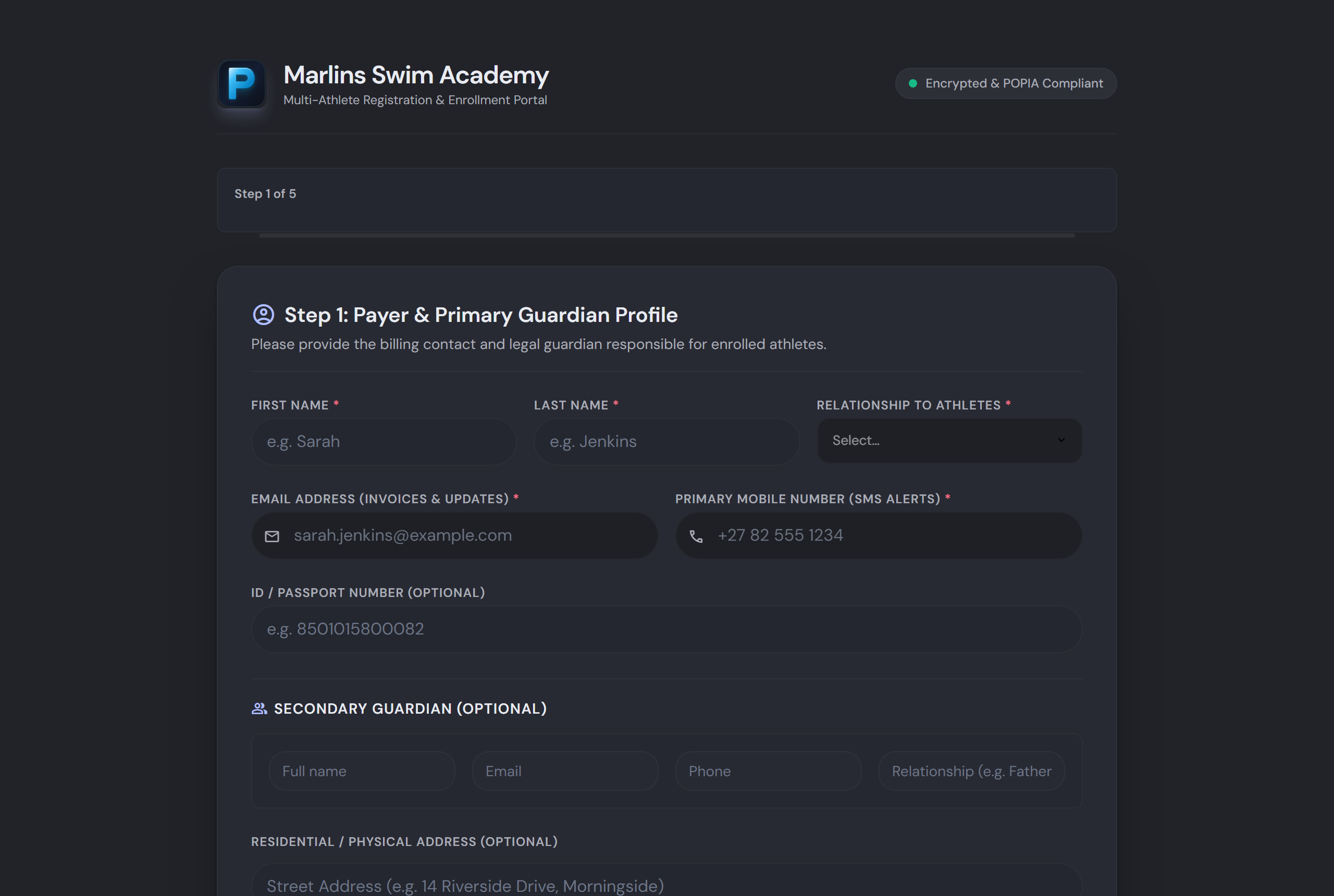
A parent opens the club's enrollment link — on the club's own subdomain, or embedded in the club's website — and enters guardian and emergency-contact details. No account, no app download, no admin involved yet.
Every athlete on one family record
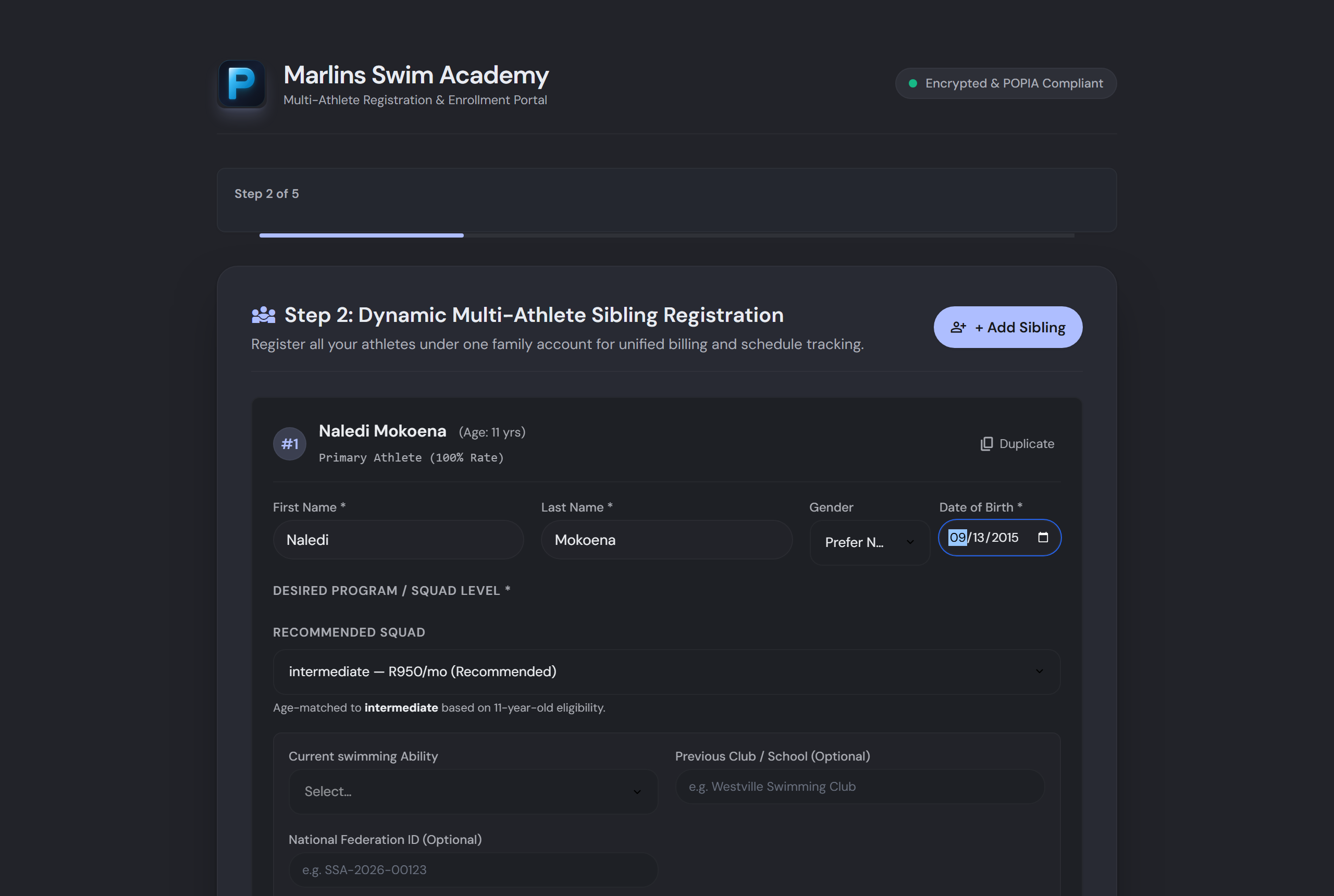
Siblings are added on the same application. From date of birth the wizard recommends a squad and shows the monthly fee for it, so the family sees the price before they commit to anything.
Club policies, signed digitally
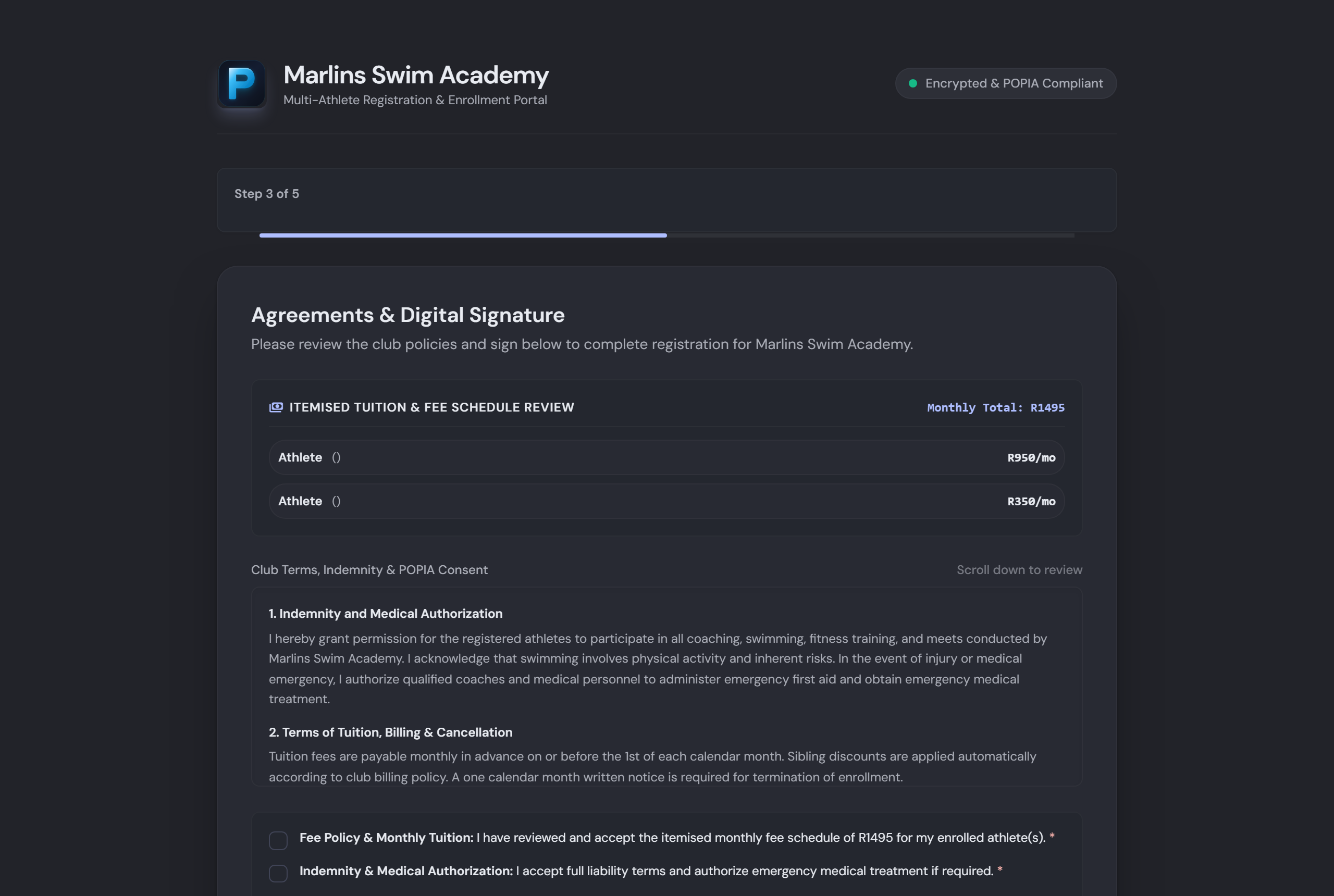
The club's own terms, waivers and POPIA consent are presented in full and signed on screen. The signature is stored with the application; medical details go into the encrypted vault, never into a spreadsheet.
Itemised fees. No payment taken now.
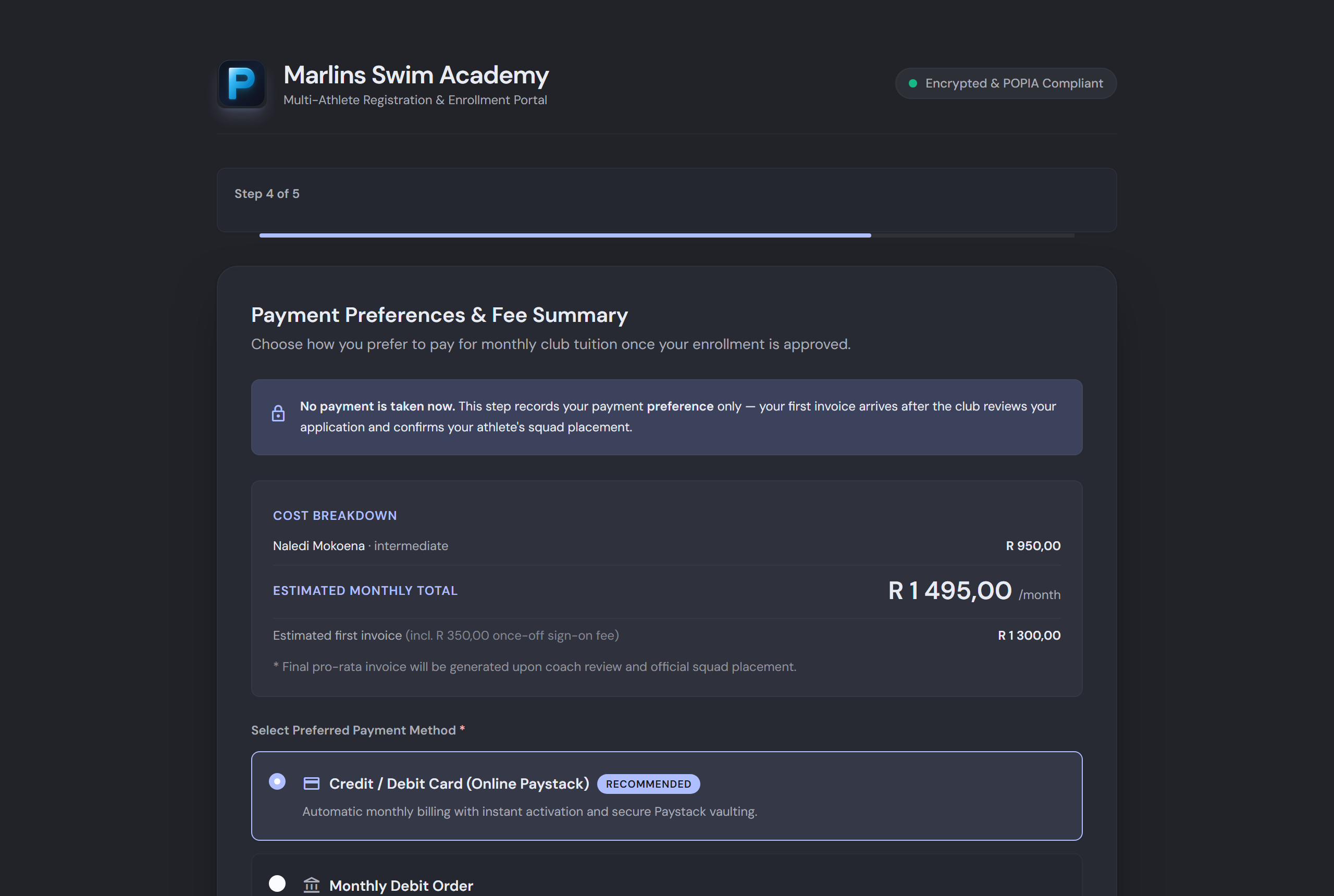
The family sees exactly what the monthly tuition will be, per athlete, plus any once-off sign-on fee — and chooses how they'd like to pay. Nothing is charged until the club has reviewed the application and confirmed squad placement.
What happens on the club's side
The application arrives as a complete record. Nothing is re-typed, and nothing is billed until a person at the club says so.
The club reviews in the Intake queue
Applications land in a triage queue with the coach's assessment deck, priority waitlist and a funnel view. Approve, assess, or place on the waitlist — with every applicant visible at once.
Athletes move to the roster
One action creates the athlete records, links them to the family, and sets up the billing schedule at the squad rate. There is no re-typing.
The first invoice is raised automatically
The next billing run picks the new schedules up, pro-rates the first month if the club has that switched on, and issues a ZAR VAT invoice with a Paystack link.
The parent gets a portal
An activation email gives the family a login: invoices, payments, training schedule and the athlete's records, on their phone.
Ready for a modern swim academy?
Built for South African swim academies, from single-pool clubs to multi-site sports schools. Setup takes less than 10 minutes.